MoveLab · OpenRouter
Create your OpenRouter API key
MoveLab uses your own OpenRouter key to generate images. Set one up in a few steps.
Open OpenRouter API Keys ↗Sign in to OpenRouter and open API Keys
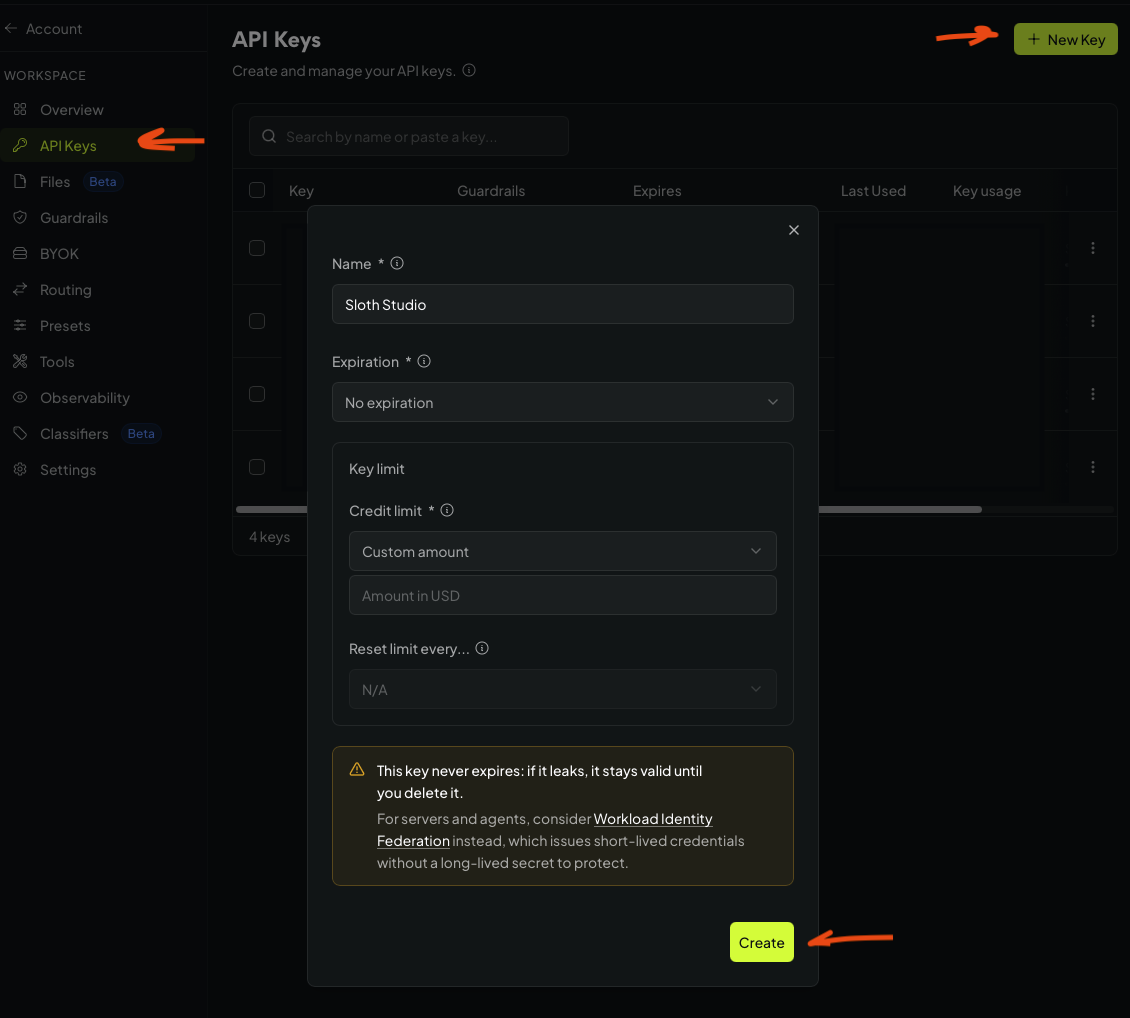
Sign in to your OpenRouter account. In the workspace menu, choose API Keys.
Select New Key
Select + New Key in the top-right corner.
Name and limit the key
Name it Sloth Studio. Choose an expiration option and a credit limit that fits your budget, then select Create.
Copy it into MoveLab
Copy the new key when OpenRouter shows it. In MoveLab, paste it into the OpenRouter API key field and save it. Keep the key private.